OsCommerce

Who is this for - OsCommerce store owners and administrators looking to add Paymob as a payment option without building a custom integration
Outcome - Explore, Install, and Configure Paymob's ZenCart plugin
Last Updated Date - June 1, 2026
Overview
The Paymob osCommerce plugin provides a straightforward way to connect your osCommerce store to Paymob, enabling secure payment processing without altering the platform’s core files.
Installation Steps
1
Download the Paymob PrestaShop module from this link.
2
Extract the downloaded osCommerce module .zip file into your server in the path of the osCommerce project.
3
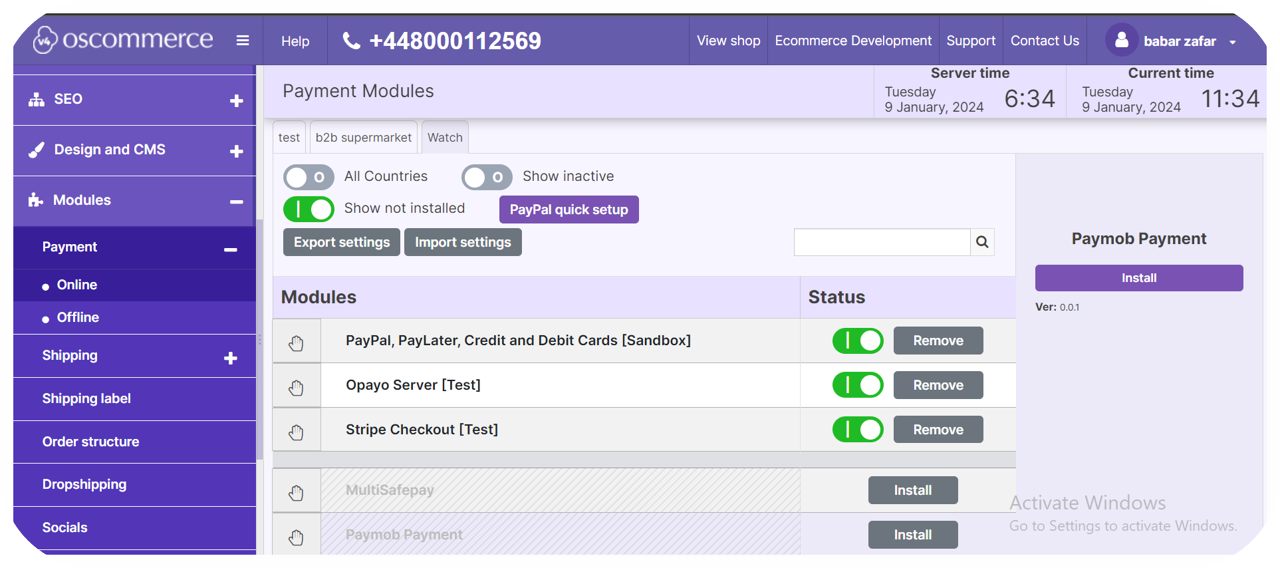
Log in to the Oscommerce admin panel, navigate to Modules ⇒ Payment ⇒ Online.
4
Click on the Show not installed checkbox, then search for Paymob Payment, then click on it and install the module.
Plugin Configuration
1
Paste each key in its place in the Paymob Oscommerce Settings page.
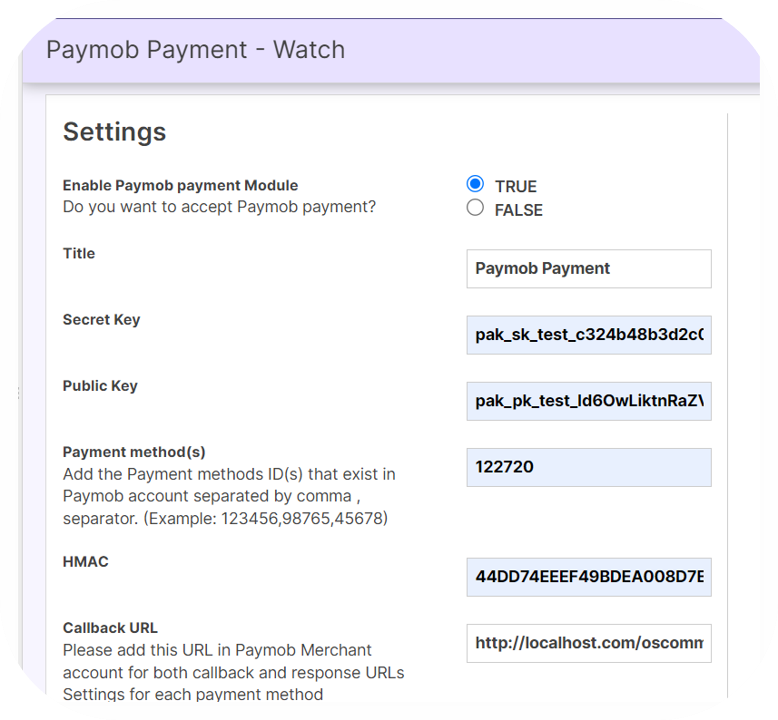
You can get all the credentials from your Paymob dashboard. Check the Getting Integration Credentials.
2
Enter the integration IDs separated by a comma (,).
3
Copy the integration callback URL that exists in the Paymob Oscommerce Configuration page, then paste it into each payment integration in the Paymob account.
You check the Getting Integration Credentials page for more guidance on how to update the callback URLs on the Paymob dashboard.
5
Save the changes
To test the payment cycle, you need to use test credentials for Card and Wallet. Please check the Test Credentials page.


On this page
- OsCommerce