Staah

Who is this for - For Business Owners & Operations Teams & Developers who want to accept online payments on Staah
Outcome - Explore, Install, and Configure Paymob's Staah plugin
Last Updated Date - June 1, 2026
Overview
What is STAAH?
STAAH is a hotel distribution and revenue management platform that enables hotels to manage inventory, room rates, and bookings across multiple online channels from a single system.
STAAH × Paymob Integration
STAAH is integrated with Paymob using the Intention-based setup. Any merchant using STAAHʼs platform for their hotel website can choose Paymob as their payment provider.
Installation Steps
1
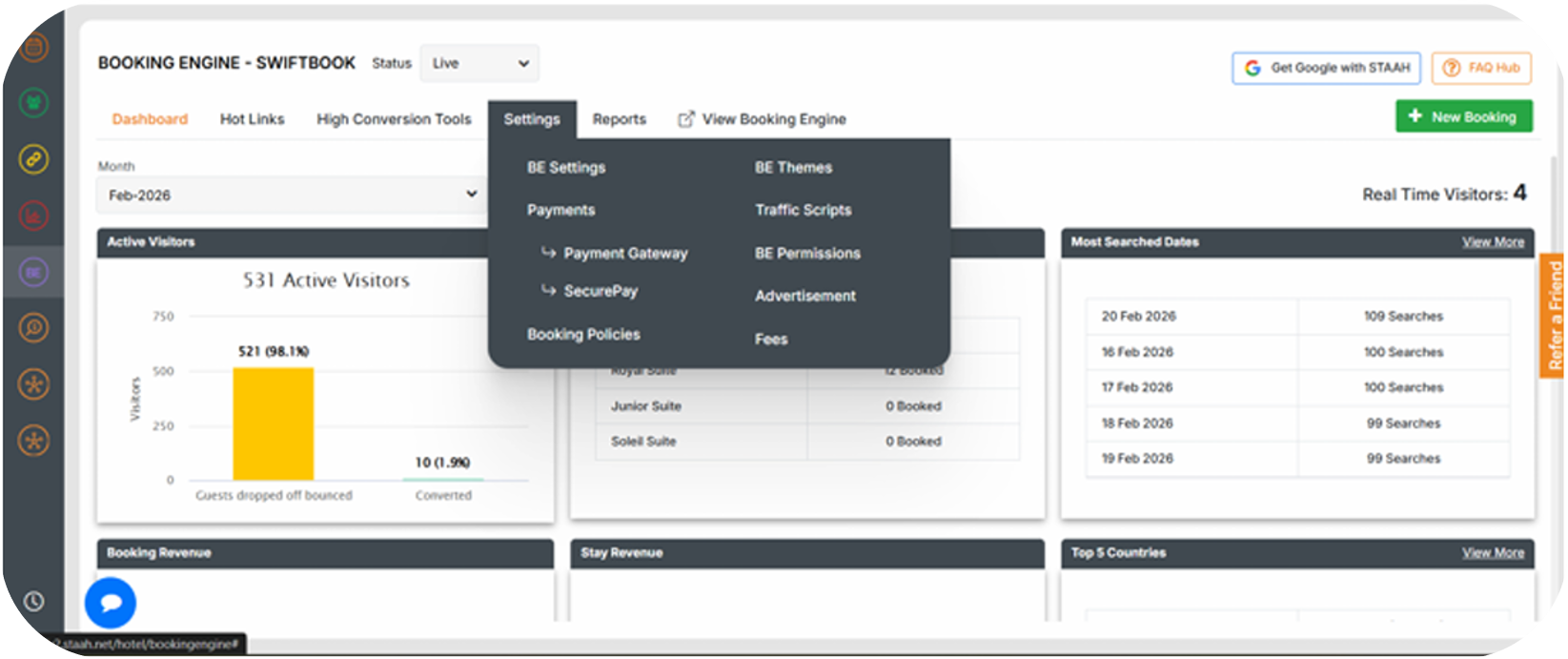
Go to Booking Engine ⇒ Settings ⇒ Payment Gateway
2
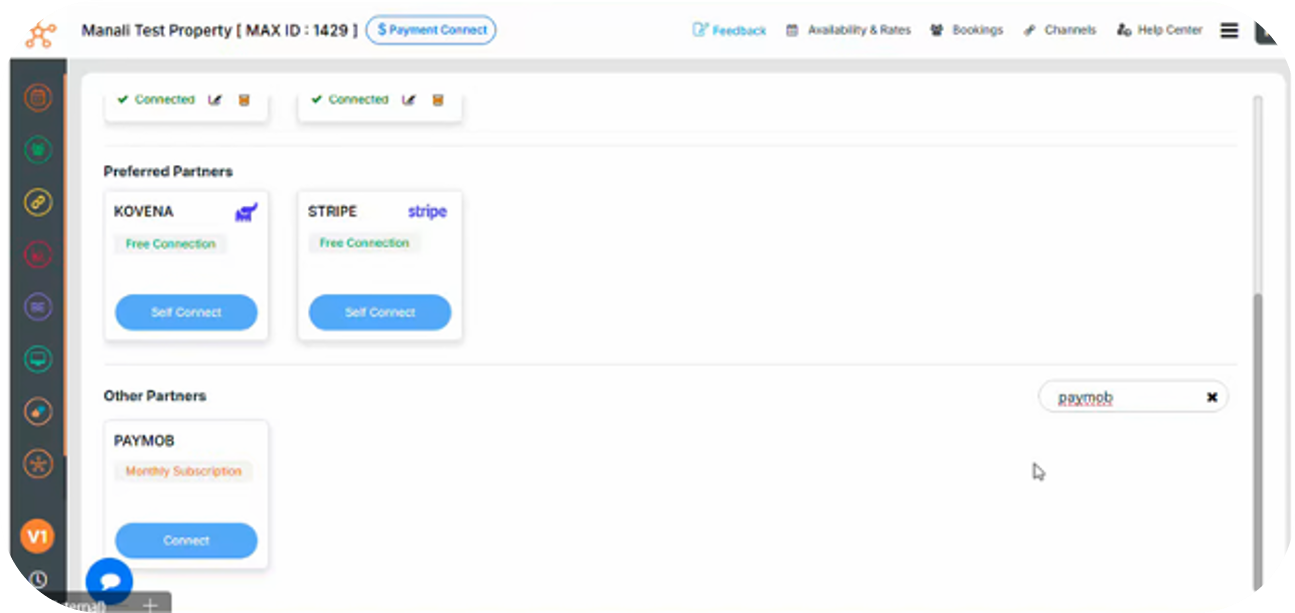
Scroll down to the “Other Partners” section ⇒ Search for and select Paymob
3
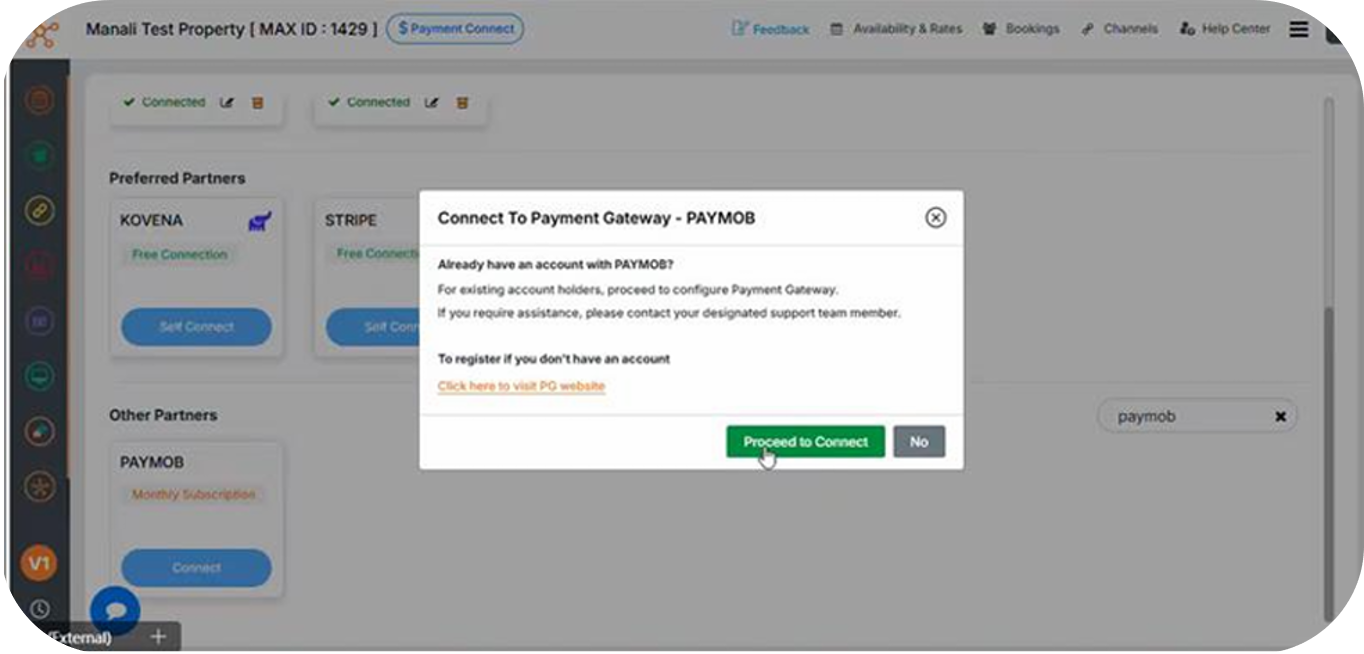
Click on "Connect" ⇒ A pop-up will appear ⇒ Click "Proceed to Connect"
Plugin Configuration
1
Fill in the following details
- Choose Payment Gateway: Paymob
- API Key
- Secret Key
- Public Key
- HMAC
- Display Name (shown on the Booking Engine)
- Payment Type (select supported card networks)
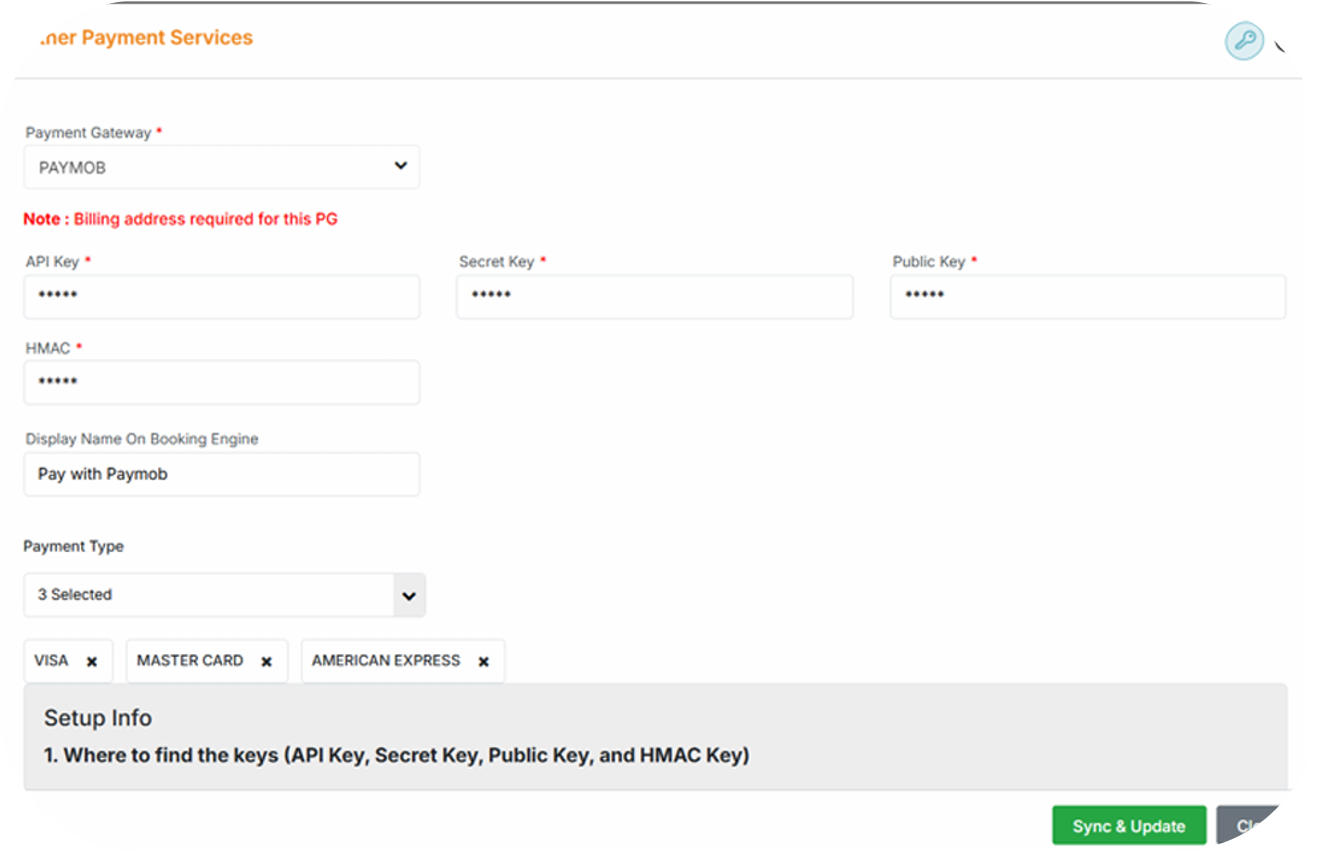
You can get all the credentials from your Paymob dashboard. Check the Getting Integration Credentials.
2
Verify the configured Callback URLs
Verify the callback URLs configured in your Integration IDs through the Paymob Dashboard.
These URLs should match the fixed callback URLs listed below, which are also available on the Paymob Staah Configuration page.
If the URLs are not configured correctly, copy the values below and update the callback URL field in each payment integration within your Paymob account.
Fixed URLs
Transaction Processed Callback: https://securepay.staah.net/PG/paymob/webhook.php
Transaction Response Callback: https://securepay.staah.net/PG/paymob/response.php
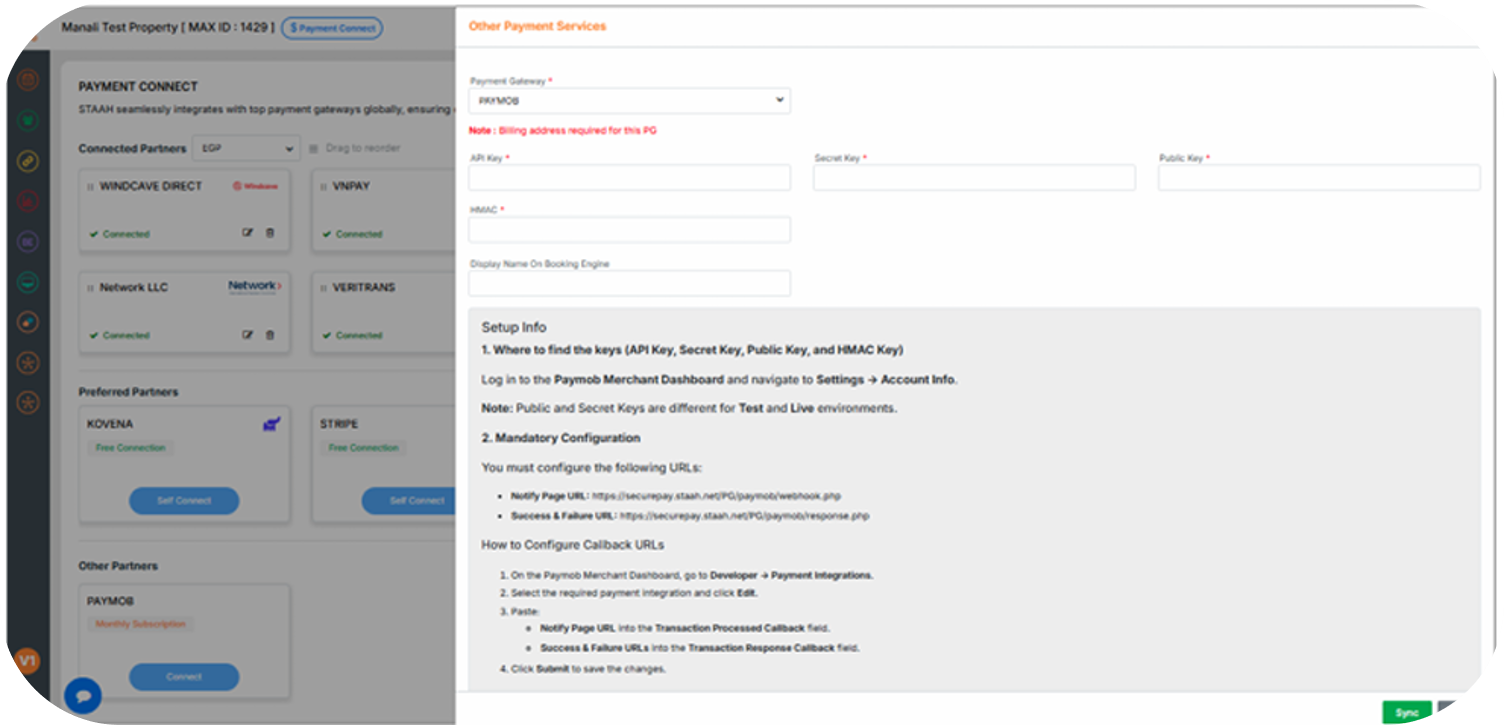
You check the Getting Integration Credentials page for more guidance on how to validate and edit the callback URLs on the Paymob dashboard.
3
Click "Sync".
FAQs
1
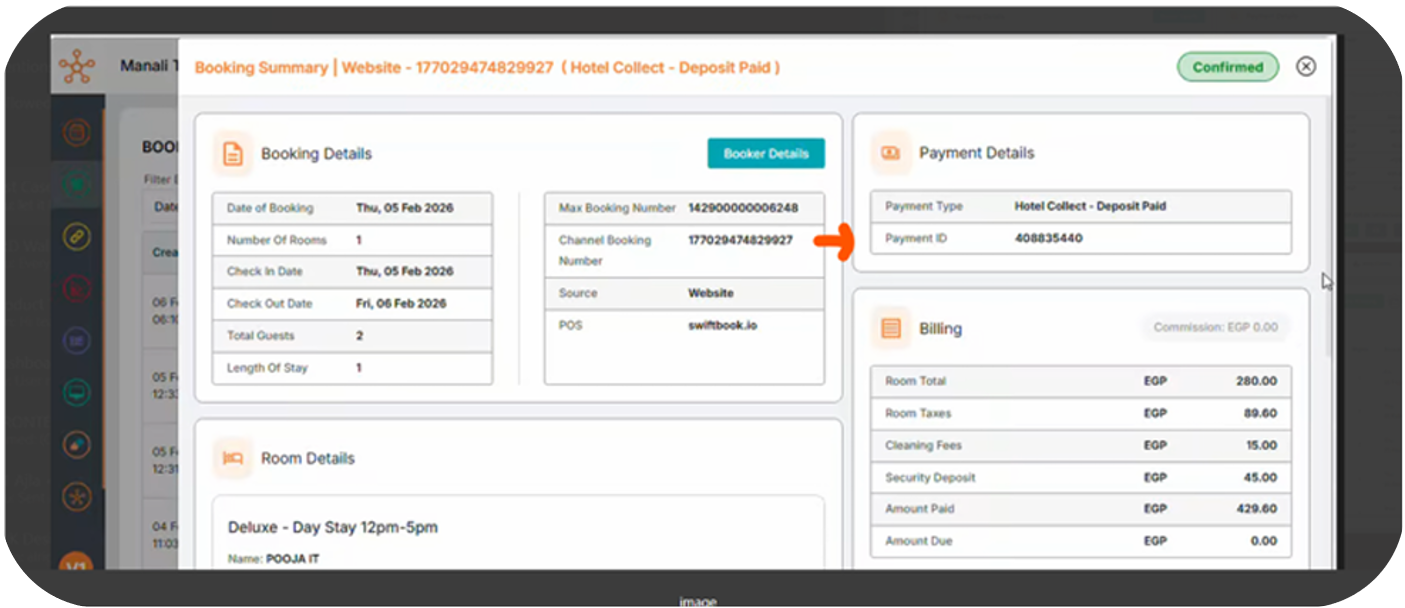
Where can a merchant find the Transaction ID for any booking on STAAH?
When a user clicks on any booking, the Transaction ID will be displayed under the Payment ID field


On this page
- Staah