Getting Integration Credentials

Who is this for - Anyone can implement the integration
Outcome - Get the Paymob credentials that will be used during the integration
Last Updated Date - July 21, 2026
Overview
When you integrate with Paymob, even through APIs, Plugins, or Mobile SDKs, you'll need to use some of your Paymob credentials (e.g., secret key, public key, API key, …).
How to get each credential
API Keys
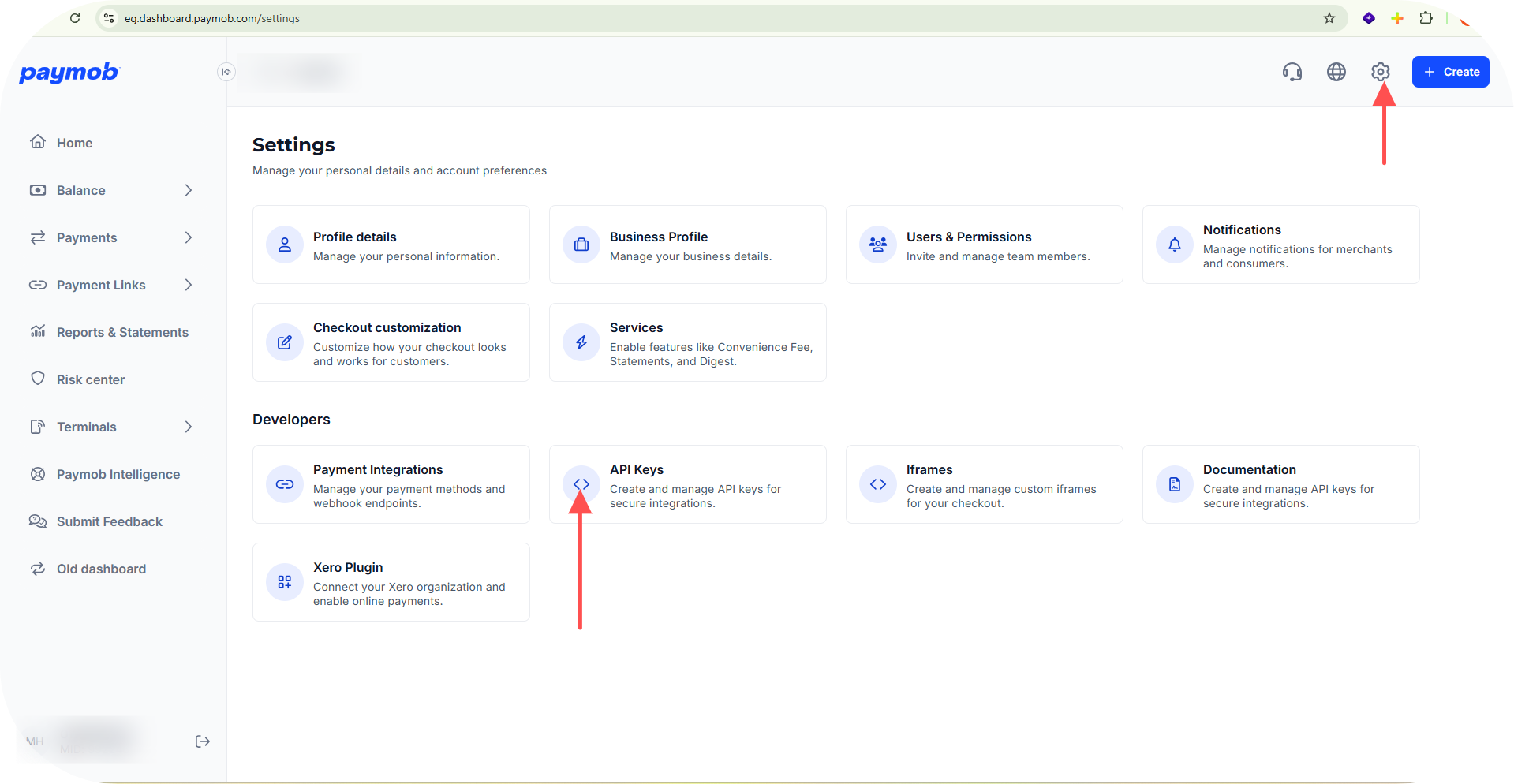
- Go to your "Accept Dashboard", then click on the "Settings" tab, then select "API Keys" under the Developers section.
- Make sure you have enabled the appropriate mode (live/test) using the toggle at the top right. Secret Key and Public Key are mode-specific; each will show a different value depending on the mode selected. The API Key is the same for both environments.
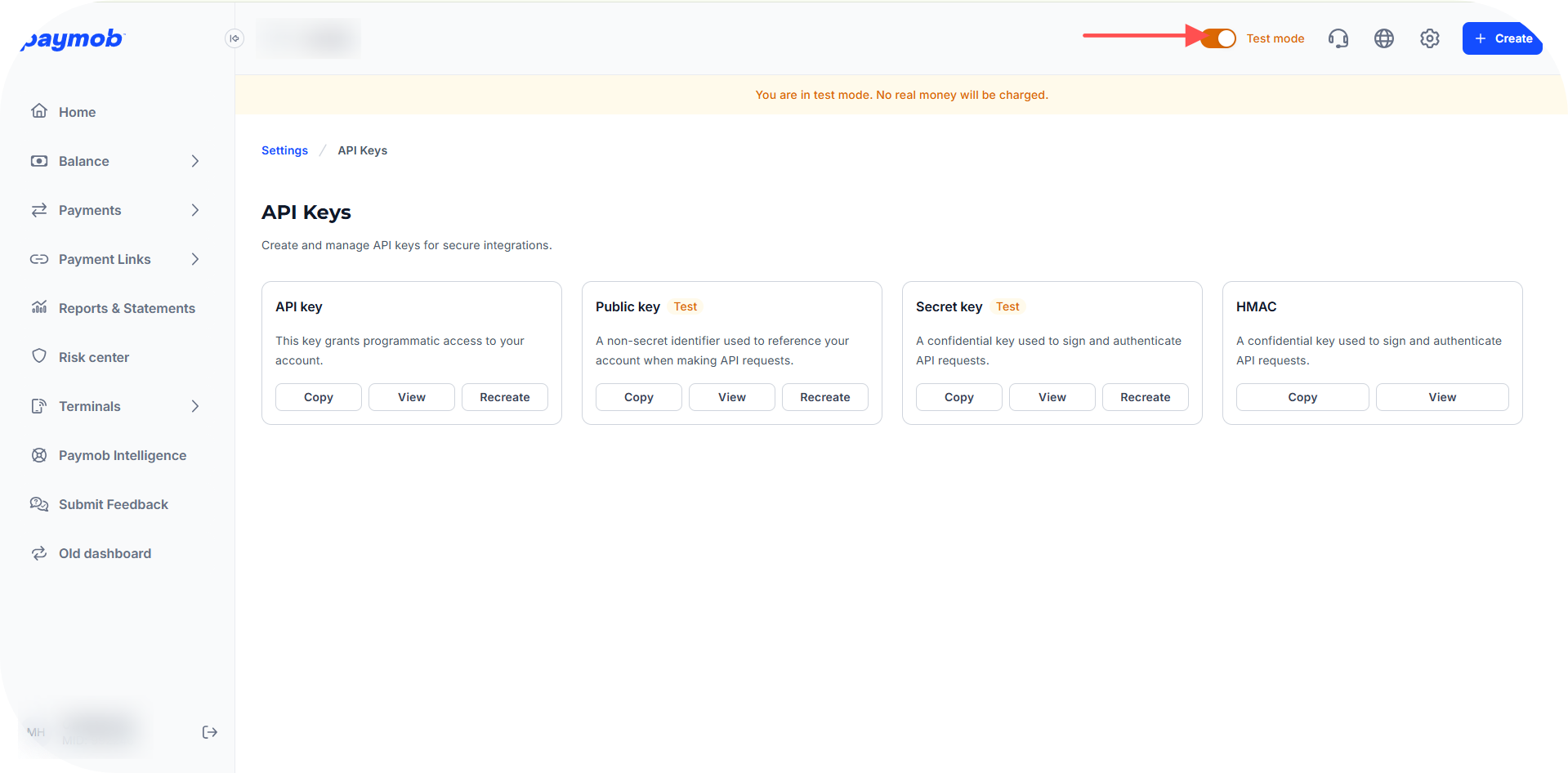
Once you're on the right page and mode, press the View button beside the credential you need:
Secret Key
- Press View beside Secret key, then copy the value shown.
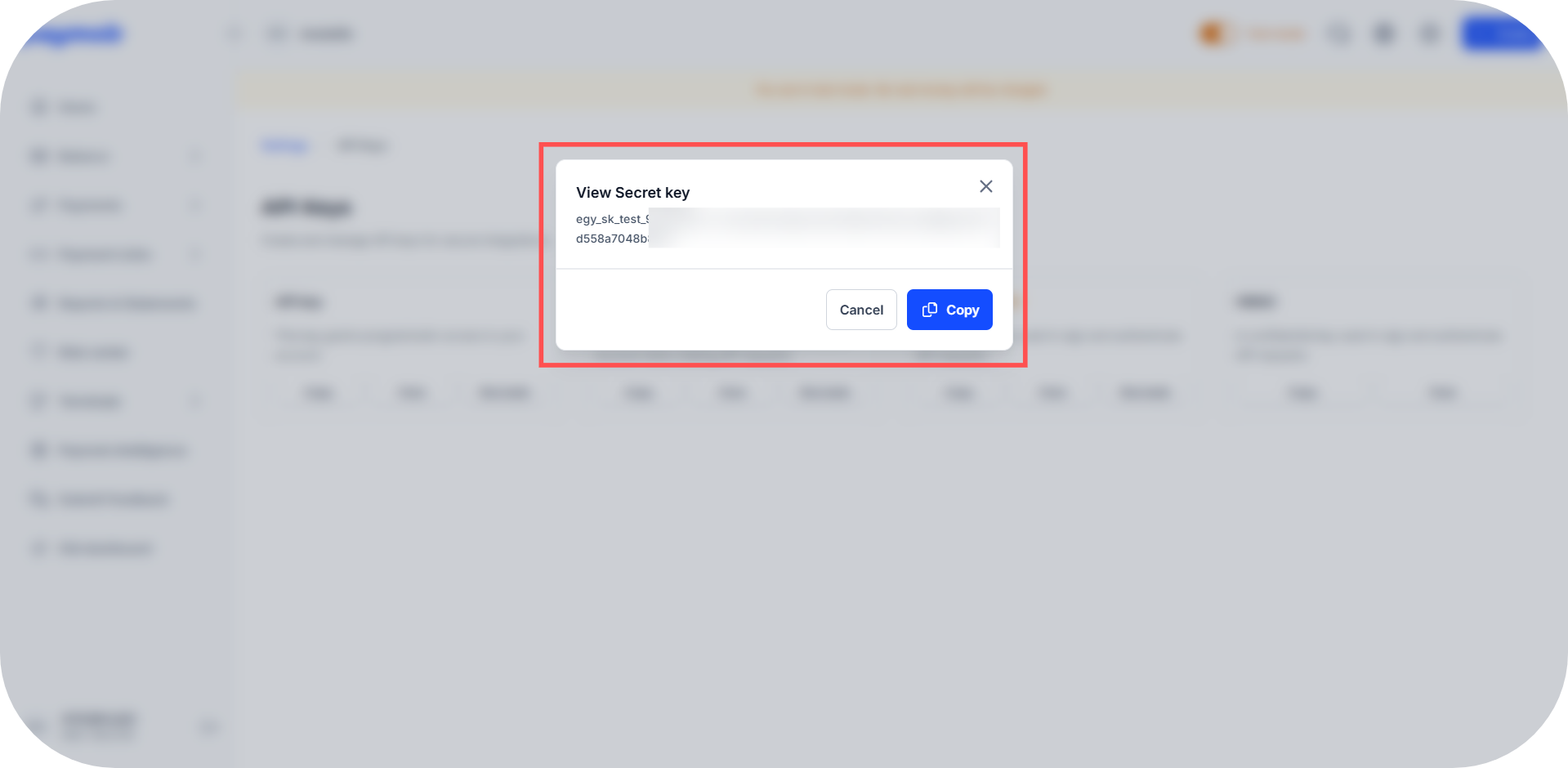
Switching to Live mode shows the same modal with a sklive prefix instead.
Public Key
- Press View beside Public key, then copy the value shown.
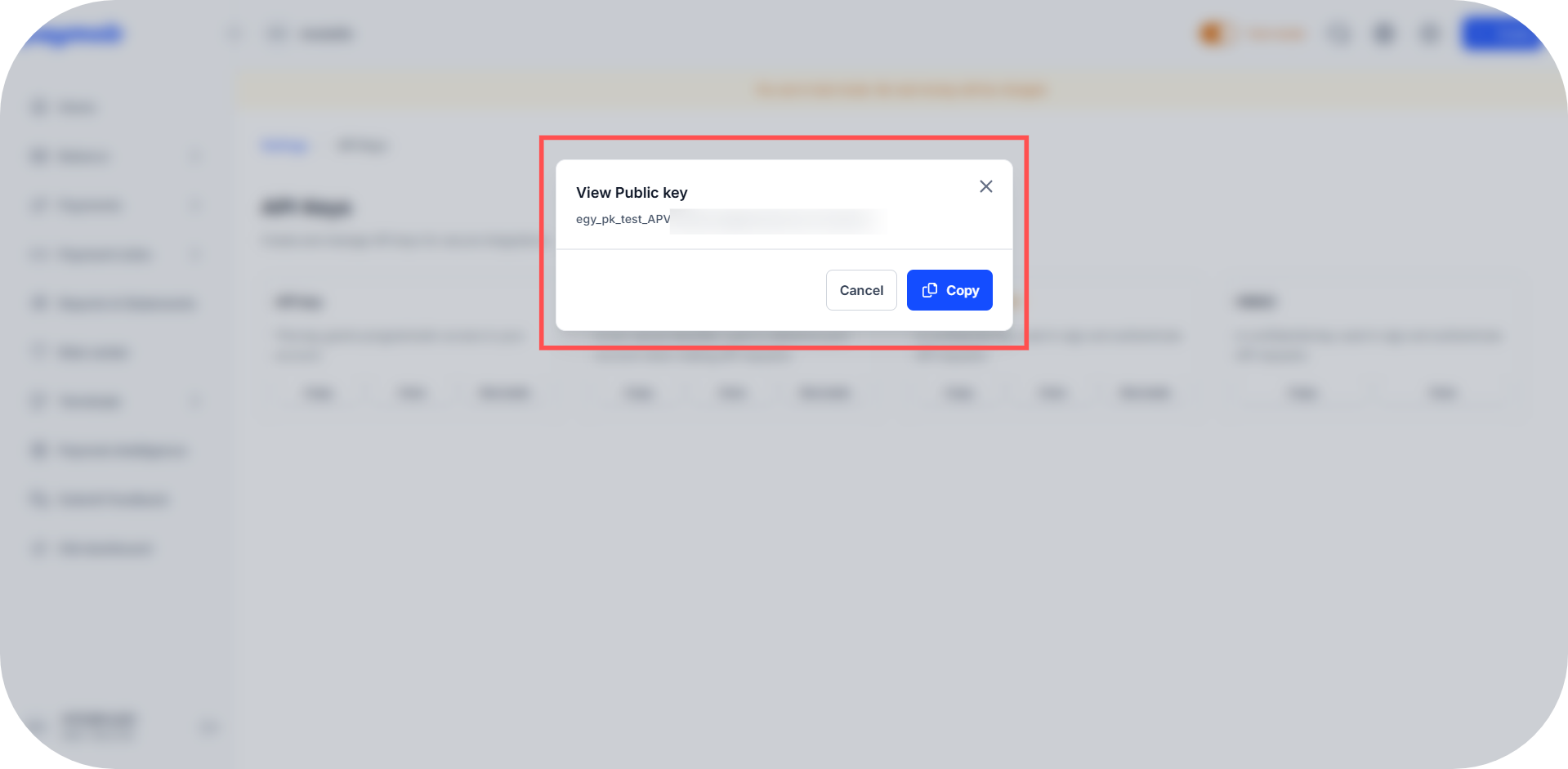
Switching to Live mode shows the same modal with a pklive prefix instead.
API Key
- Press View beside API key, then copy the value shown.
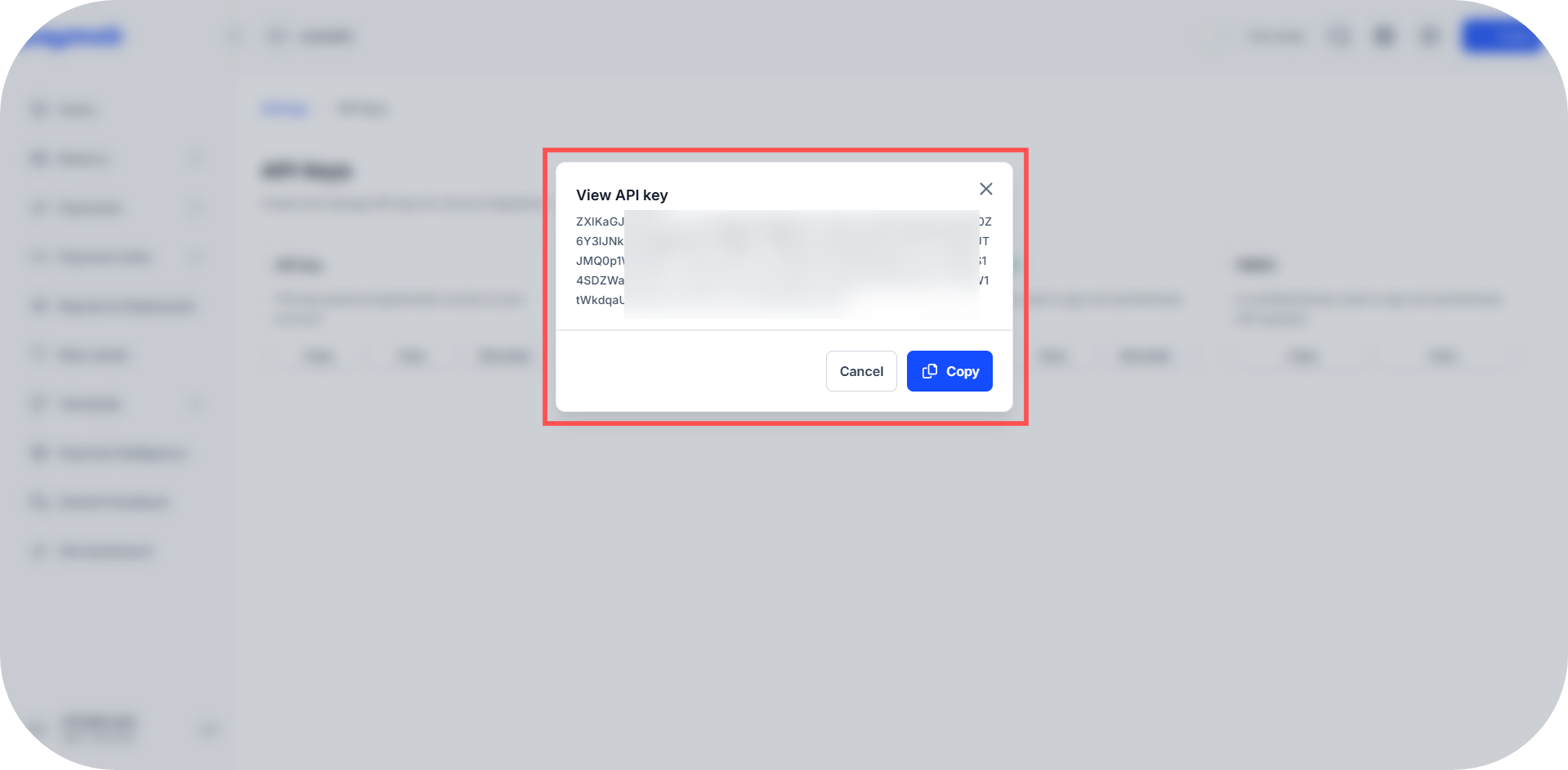
It's the same key for both environments (Test/Live).
Integration ID(s)
- Go to your "Accept Dashboard", then click on the "Payment Integrations" card directly from the Settings page sidebar.
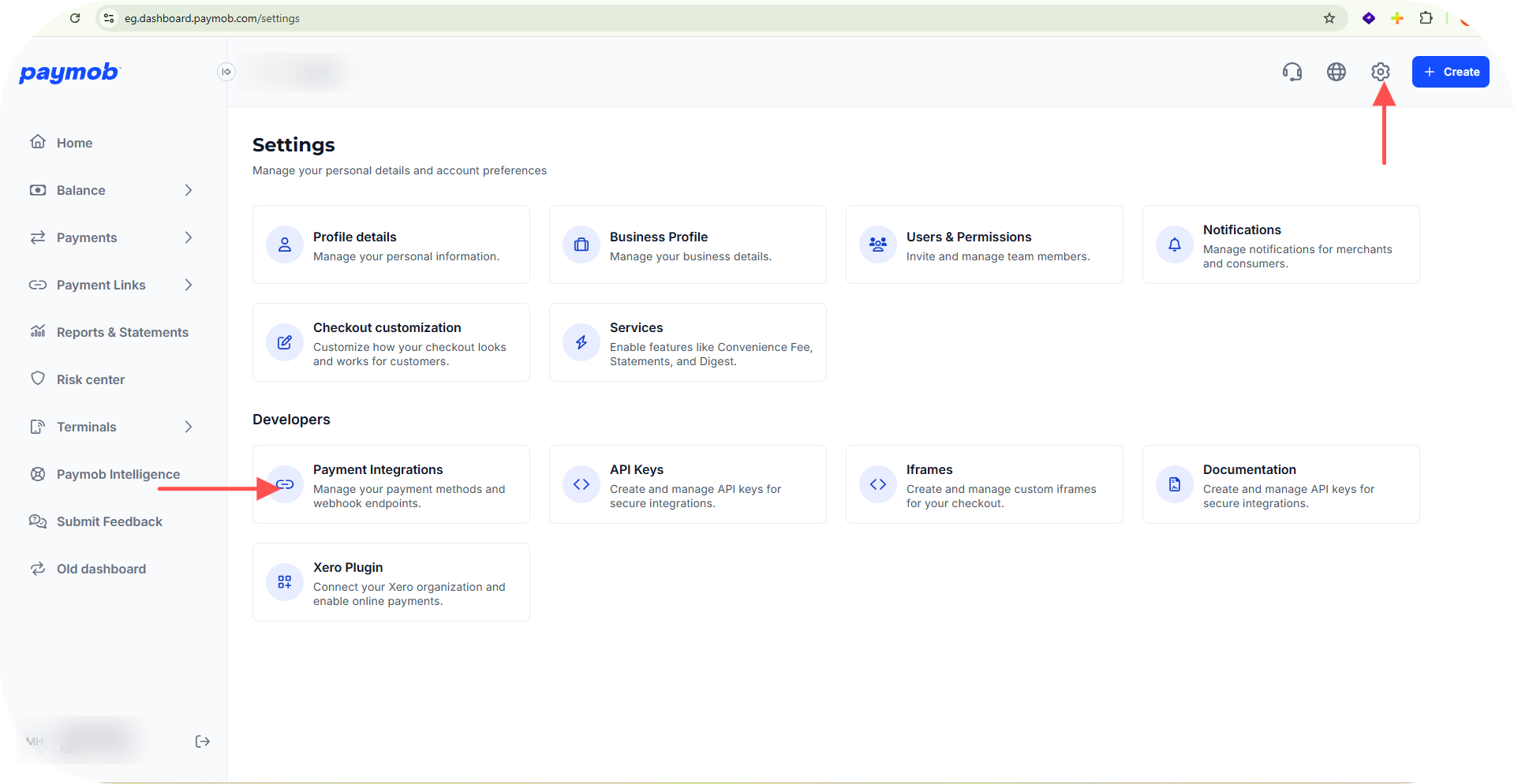
- Make sure to select the proper mode (Test/Live); the table will refresh with a different set of Integration IDs depending on the mode.
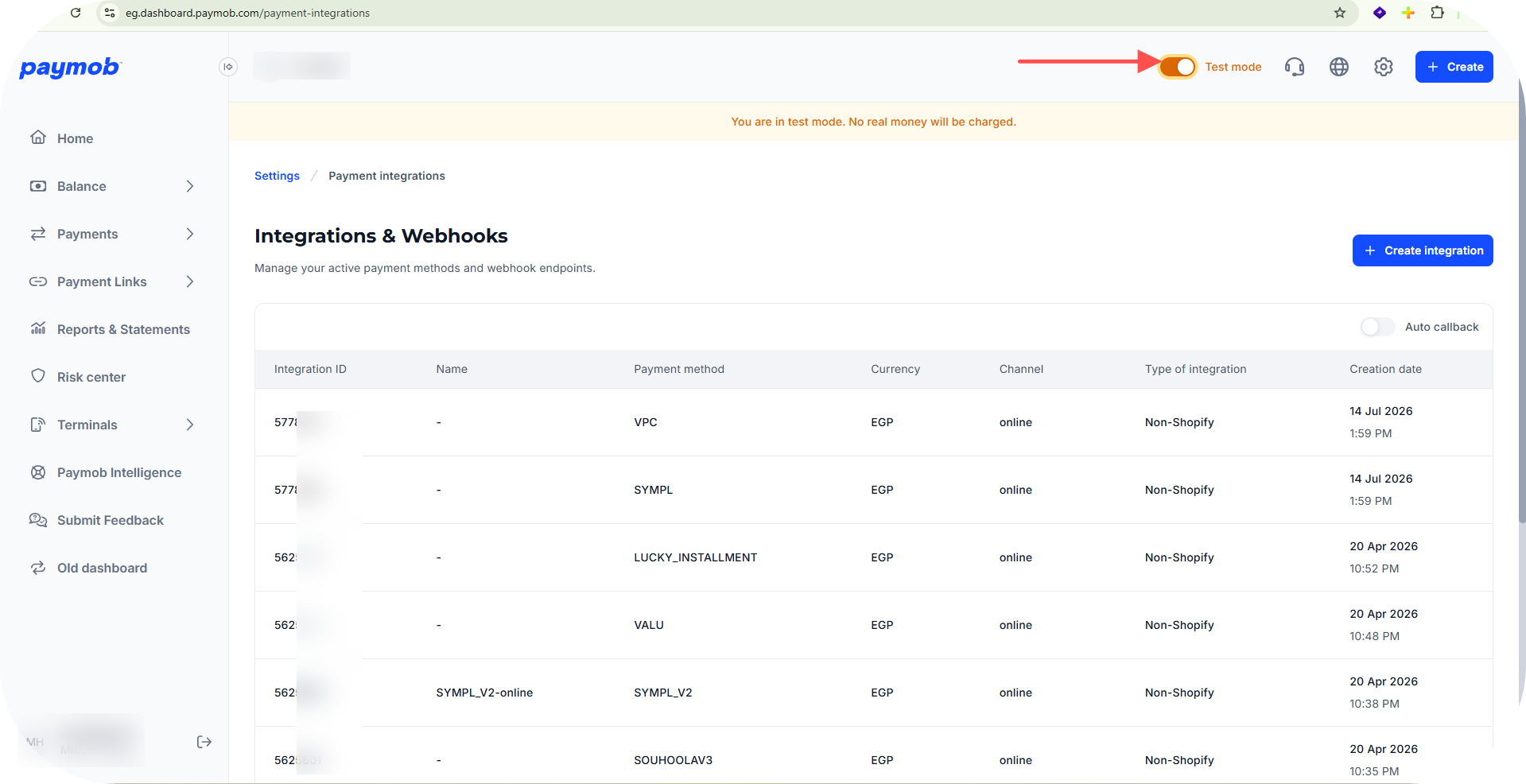
Switching to Live mode shows the same table with the live integration IDs instead.
Get the Integration ID(s)
- The Integration ID column in the table above lists all IDs for the selected mode. Copy the ID(s) relevant to your integration.
Change Callback for the Integration IDs
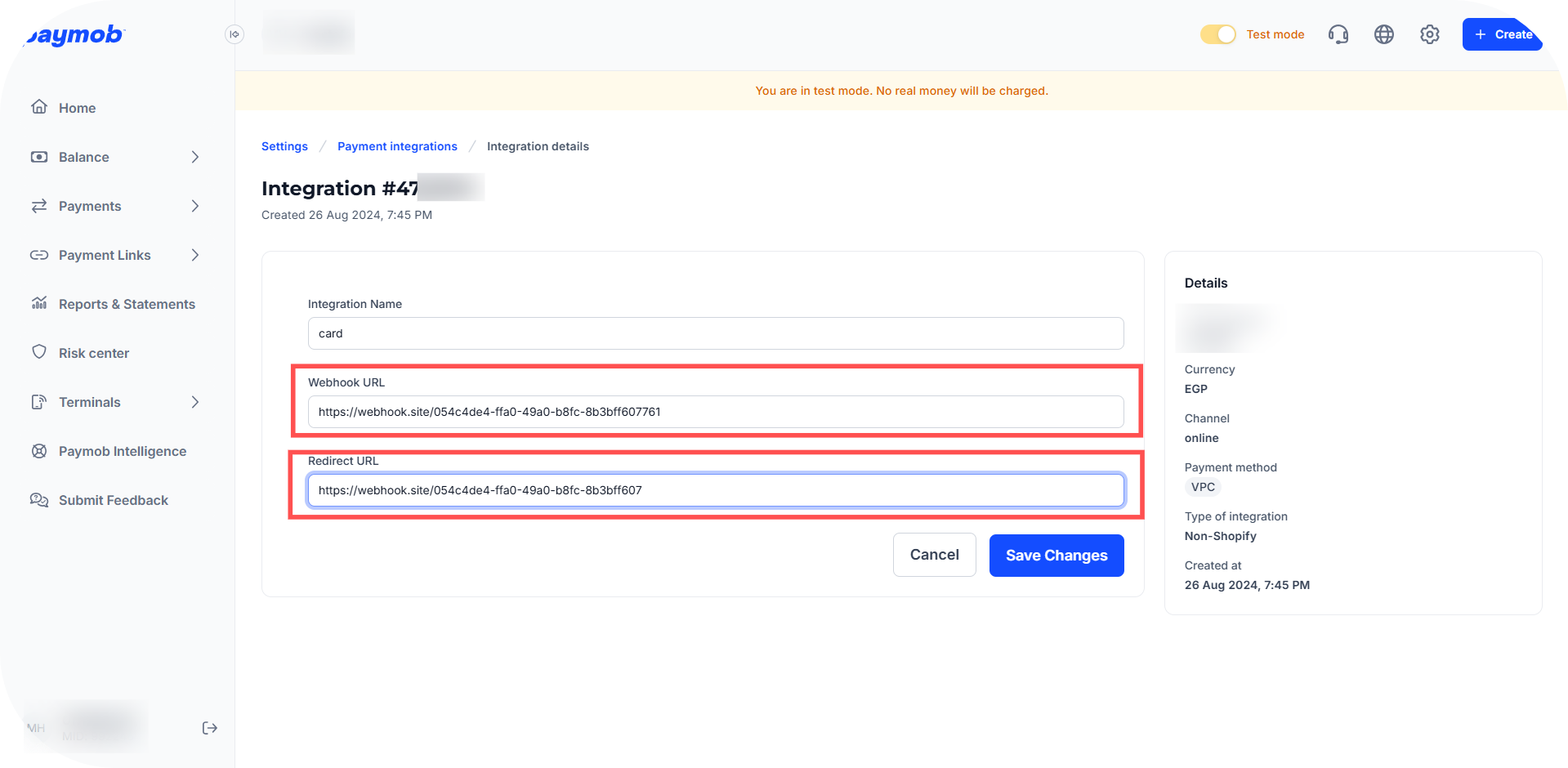
- From the table above, click on the Integration ID you want to update — this opens its details page directly in edit mode.
- Fill in the Webhook URL and/or Redirect URL fields.
- Press Save Changes.
Was this section helpful?


On this page
- Getting Integration Credentials