Payouts

Who is this for - Everyone
Outcome - Understand what Paymob Payout is, how to use it, and how to get started
Last Updated Date - July 15, 2026
Paymob Payout (Paymob Send) is Paymob's outbound disbursement solution. It lets you send money directly to recipients (employees, suppliers, drivers, or customers) across mobile wallets and bank accounts, individually or in bulk.
Unlike Paymob Accept, which handles incoming payments, Payout is built for sending money out.
Supported Regions
Paymob Payout is currently available in Egypt, UAE, and KSA.
Ways to Use Payout
Dashboard (Paymob Send Portal)
For operations and finance teams managing disbursements without code. Upload files, review batches, and track transactions from a browser-based portal.
API
For developers automating disbursements programmatically — trigger payouts, check balance, and receive real-time status updates via callbacks.
Integration Checklist
There are no self-signup steps. Your account is provisioned by Paymob. Here's how the onboarding process works:

Contact your account manager
Reach out to your Paymob Payout account manager to request access. If you don't have one, please contact support@paymob.com.

Legal
Complete the required legal agreement with Paymob.

Receive staging credentials
Once the legal step is complete, Paymob sets up your staging environment and sends your credentials via email.

Integration cycle
Build your Payout integration against the staging environment.

Test & validation
Run test disbursements to verify your integration works as expected.

Technical approval
Paymob reviews and approves your integration.

Go live on production
Once approved, your production account is provisioned, and you're ready to disburse.
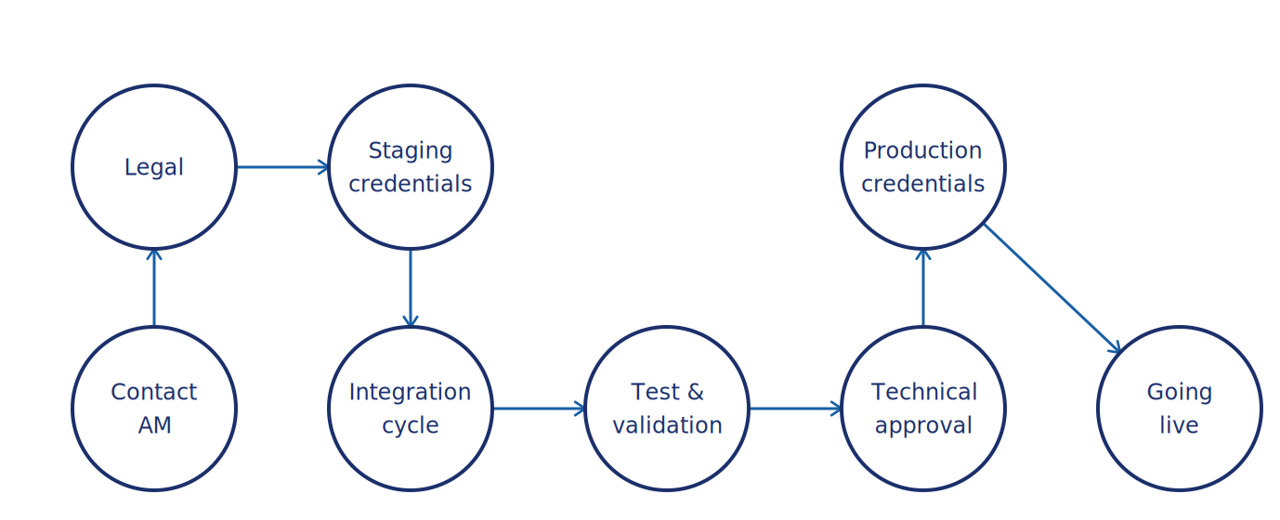
Don't skip steps; each one is required for a successful launch.
Where to Go Next
Understand the full disbursement flow | How It Works |
Compare channels and pick the right one | Disbursement Channels |
Use the portal to disburse | Dashboard |
Integrate via API | Payout APIs Overview |


On this page
- Payouts