Payment Links

Who is this for - Merchants who want to accept payments without any technical integration
Outcome - Create and share payment links in minutes, receive payments via any channel
Last Updated Date - June 1, 2026
What are Payment Links?
Payment Links are shareable URLs that allow your customers to pay you directly. No website, no code, no technical setup required.

When to use Payment Links?

Social Selling
Share links on Instagram, WhatsApp, Facebook

Email Invoicing
Send payment requests to clients via email
Creating a Payment Link
1
QuickLink Button
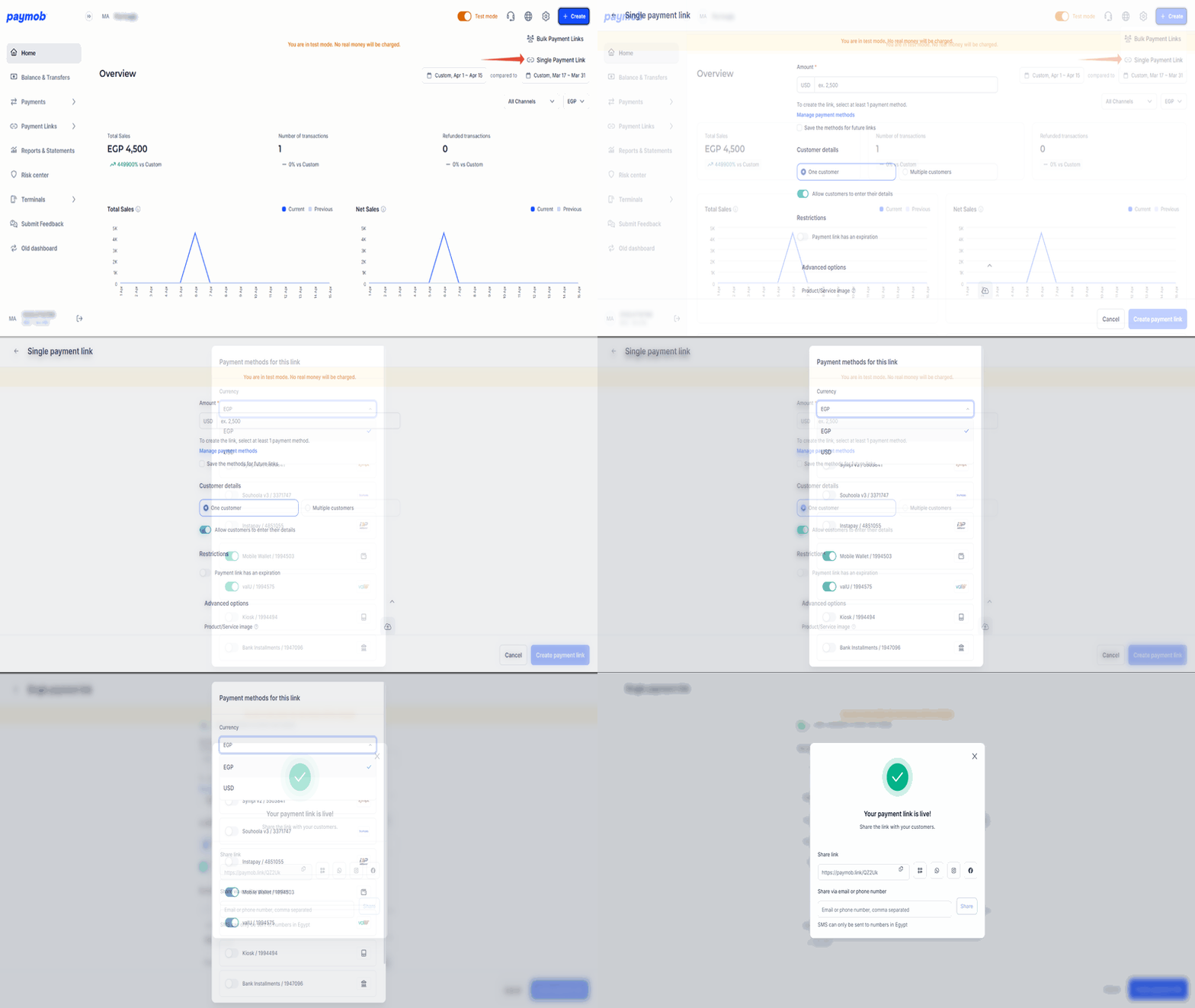
From your Paymob dashboard, click the Create button in the top-right corner, then select Quick Link.
2
Link Configuration
Configure the payment link details, such as Currency, Amount, Reference ID, Image, ...
3
Choose Payment Methods
Select the payment methods you want to offer to your customers, then choose the relevant integration ID.
4
Share the Link
Once created, you can share the payment link through multiple channels, including QR, WhatsApp, Facebook, Instagram, and share directly via SMS or email
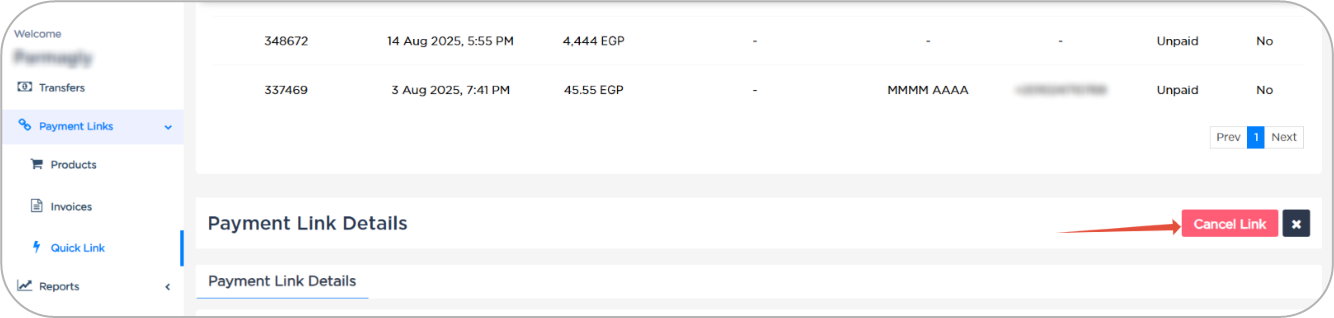
Cancel Payment Link
You can cancel the unpaid Payment Links
Payment Link via API
You can create automated payment links through your system, using APIs.
Check the technical implementation guide in the QuickLink APIs guide under the Developers Reference sections


On this page
- Payment Links